๐Ÿ“น Session Replay:
every session, reconstructed

Watch exactly what your users experienced. Every click, scroll, form fill, error banner, and feature-flag change, replayed as a pixel-faithful reconstruction of the real session. Not a video: a recording of the DOM itself.

๐Ÿ”ต LD Session Replay plugin ๐ŸŽฌ Built on rrweb ๐Ÿ”ต LD Observability Browser SDK

What session replay is

Session replay lets you watch a recording of any user's visit: exactly what they saw and did, page by page, click by click, scroll by scroll. When someone says "the site didn't work," you don't ask them to describe it. You press play.

Every visit to Toggle Travel is recorded automatically, real users and the 24/7 demo personas alike. Each recording knows who the user is, what they clicked, where things went wrong, and which features were turned on for them at the time.

The result: minutes of guesswork replace hours of back-and-forth. Support sees what the customer saw. Engineers see the bug happen. Product sees where users get stuck. Everyone watches the same movie.

๐Ÿ”ต
From complaint to evidence in one click

A booking fails โ†’ open the replay of that exact session โ†’ watch the user hit the error, with everything about their visit attached. No reproduction steps required.
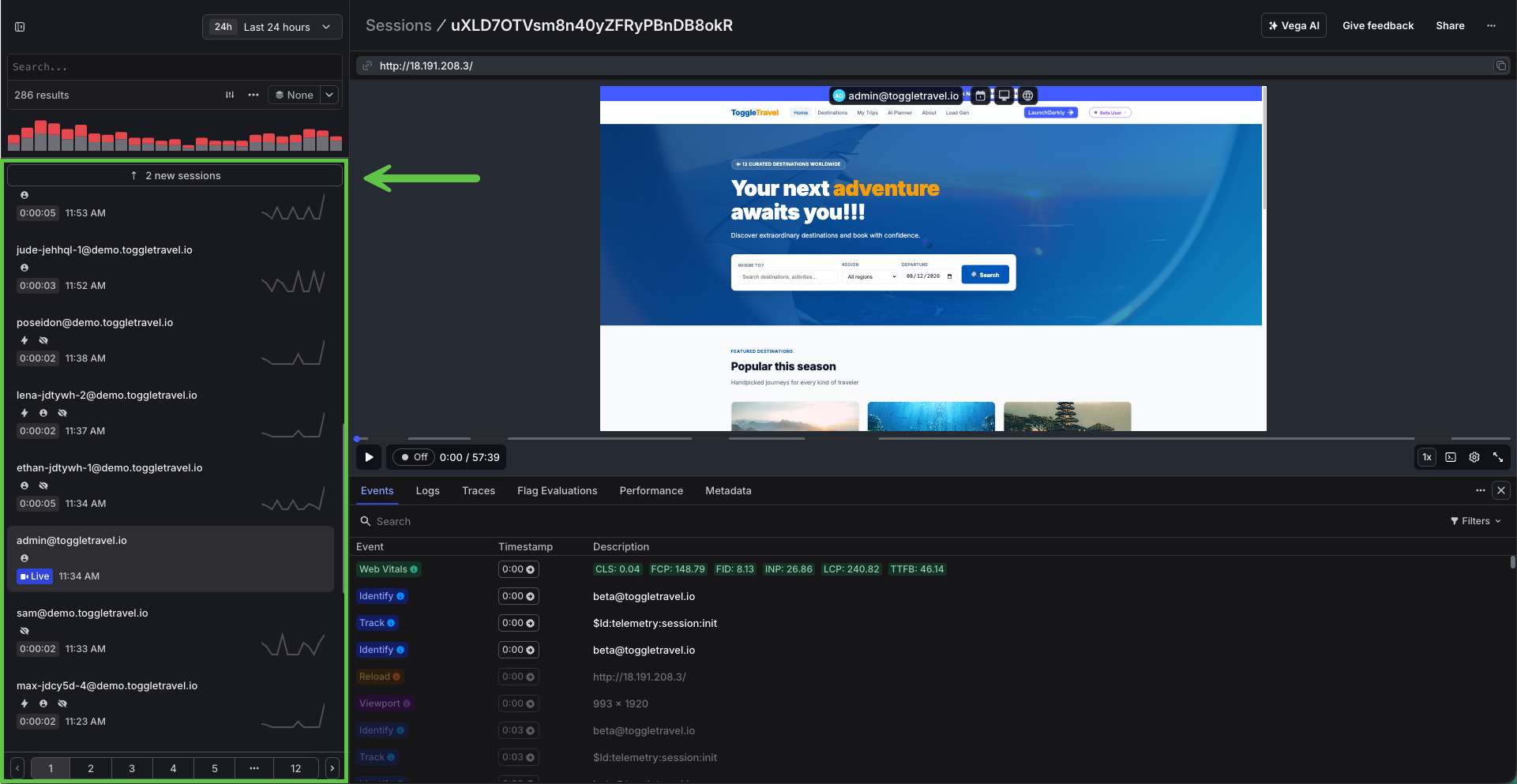
LD Observability Sessions list showing identifiers, duration, device, and error badges

The LD Observability Sessions view. One row per recorded visit.
Use cases

Who watches replays, and why

Session replay isn't a developer-only tool. The same recording answers a different question for every level of the organization.

Persona What they care about How session replay delivers
๐Ÿ‘” C-suite (CTO / CPO / CIO) Digital experience as a business outcome: revenue-impacting incidents, customer trust, audit confidence Ground truth of what customers actually experienced during an incident. "How bad was it?" answered with evidence, not estimates, and quantified against plan tiers (Diamond users vs Beta users).
๐Ÿ“Š VP Eng / Directors MTTR, incident postmortems, where engineering time goes Replays turn postmortems from log archaeology into a screening. Cross-referencing frontend replays with backend traces collapses diagnosis time; the "what happened" phase shrinks from days to minutes.
๐Ÿงญ Product managers Funnel drop-off, feature adoption, UX friction Watch real users abandon checkout at step 2. Rage-click detection and named events (confirm-booking) turn "conversion dipped" into "users can't find the departure date field on mobile."
๐Ÿ’ป Developers Reproducing bugs, error context, exact DOM state No more "steps to reproduce: unknown." Every error links to the replay of the session that threw it, with the exact clicks, network calls, and flag variations active at the moment of failure.
๐Ÿงช QA / Release Release validation, regression evidence, flaky repros During a guarded rollout, watch treatment-arm sessions interact with the new variation before ramping. When a regression trips auto-rollback, the replays are the receipts.
๐ŸŽง Support / CX Resolving tickets without back-and-forth Look up the customer by email and watch their session instead of asking them to describe it. "I see exactly what happened" replaces three rounds of screenshot requests.

In this demo app

Every Atlantis 404 links to a replay of Poseidon hitting the failure. During the daily 8am checkout incident, replays show the "โœจ NEW CHECKOUT" badge on screen while confirms fail, then the badge vanishing once the flag is toggled off. Jordan's abandoned checkouts and the confirm-booking funnel events round out the story.

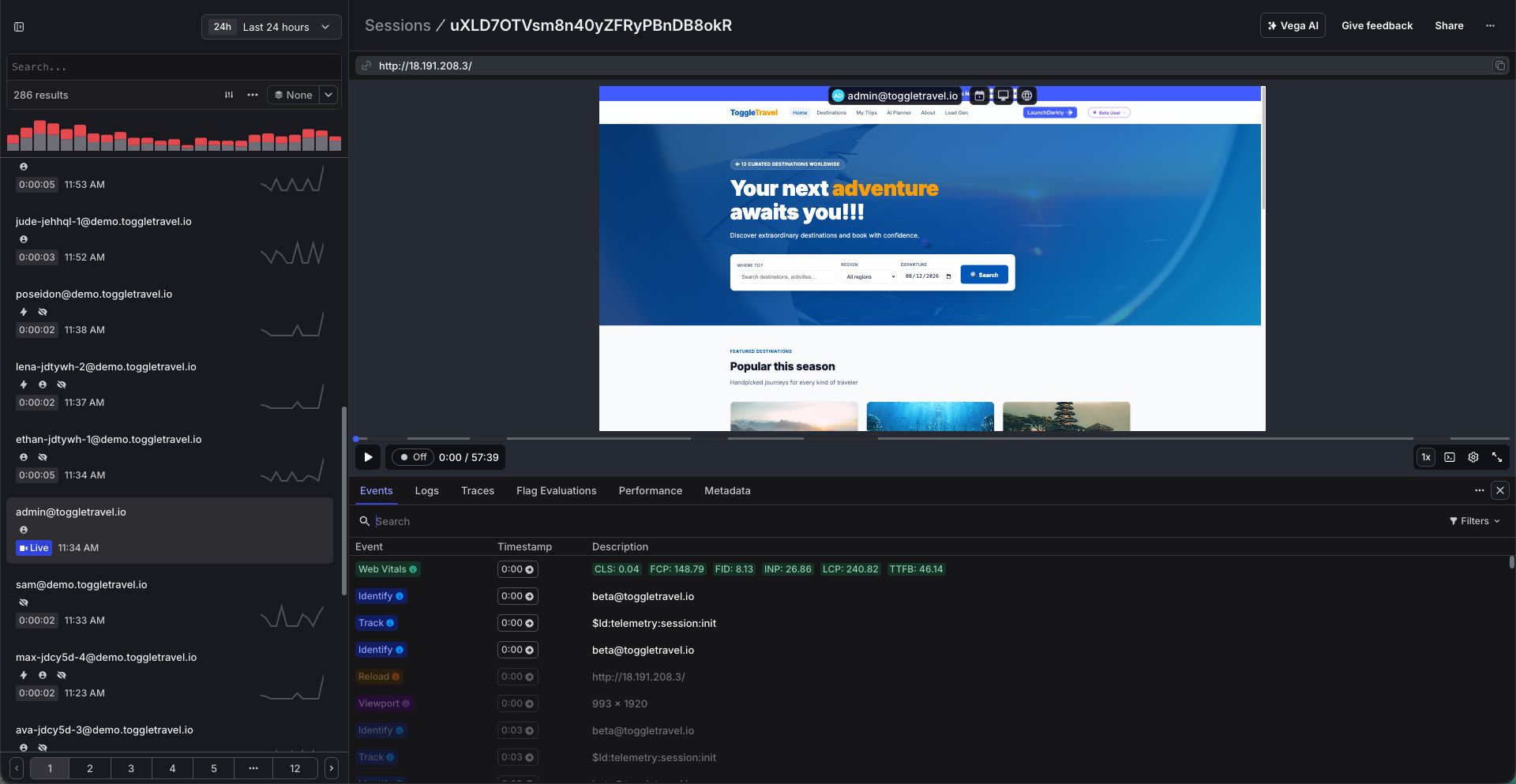
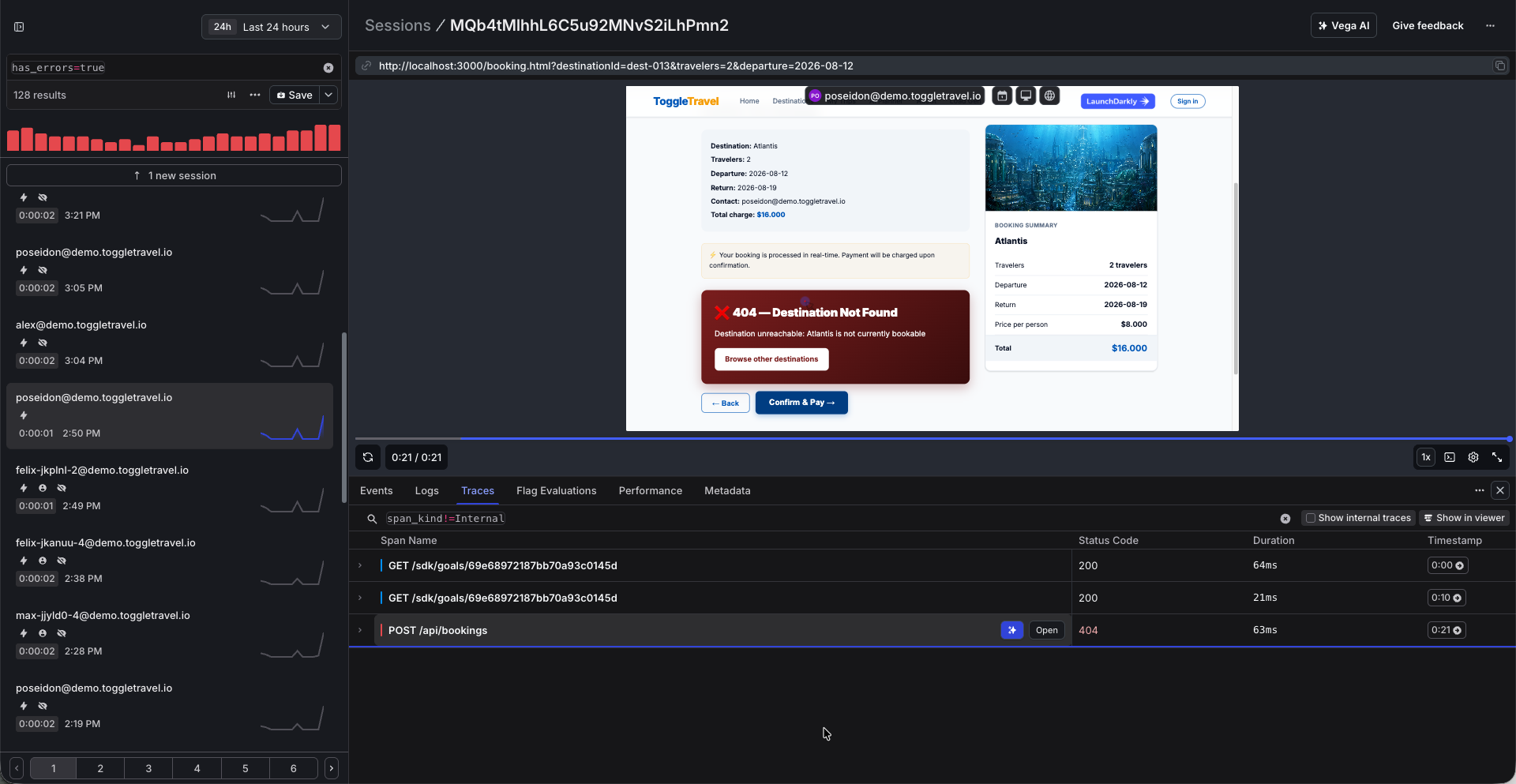
Session player mid-playback with timeline markers for clicks, errors, and track events

The session player: scrub the timeline, jump to error markers

75%
faster issue resolution
Customer win story

Blue Cross of Idaho

The not-for-profit health insurer runs LaunchDarkly session replay and full-stack observability on top of its existing OpenTelemetry setup. No new agents, no new pipelines. Engineers see the exact clicks where members hit problems in the portal, cross-reference them with backend logs, and resolve issues in minutes instead of days: a 75% reduction in resolution time.

Read the case study โ†’
Deep dive

How Toggle Travel uses it

Expand each topic for real configuration and code from this app, with the LD docs to go deeper.

๐ŸŽฌ
How session replay works DOM recording, not video, and the open-source engine underneath: rrweb
โ–ผ

Session Replay records the browser's DOM: an initial snapshot of the page, then a stream of incremental mutations as nodes are added, text changes, inputs are typed, the mouse moves, and pages navigate. The LaunchDarkly player reconstructs the session from those events, so you can scrub through a user's visit like a timeline.

Because it's events, not pixels, recordings are lightweight, sensitive fields can be masked at capture time (the real value never leaves the browser), and every moment is inspectable. You can pause a replay and see exactly which elements were on screen.

The recording engine is rrweb ("record and replay the web"), the open-source standard for DOM recording. The LD plugin wraps rrweb and exposes it as window.LDRecord, the same object you use for session properties and manual controls.

1
Full DOM snapshot On session start, rrweb serializes the entire document (elements, styles, images) into a JSON snapshot
2
Incremental mutations A MutationObserver + input/scroll/mouse listeners emit tiny diff events for every change after that
3
Chunked upload The LD plugin batches events and ships them to LD's session ingest endpoint, tagged with your LD context
4
Reconstruction in the player The LD UI replays snapshot + mutations in a sandboxed iframe: a faithful rebuild of what the user saw, scrubbable in time

Why DOM recording wins

  • Small payloads. Mutation events are a fraction of the size of video, so recording 24/7 is practical.
  • Privacy at the source. Masking happens during serialization; masked values never leave the browser.
  • Inspectable. Every replay moment is real DOM. Timeline markers (clicks, errors, track events, flag changes) align to exact events, not video timestamps.
โšก
Initial setup Two plugins on the LD client. That's the whole install.
โ–ผ

Session Replay ships as a plugin to the LaunchDarkly JavaScript SDK. No separate agent, no snippet service. Toggle Travel loads three scripts and initializes once in public/js/flags.js:

<!-- load order matters: plugins before flags.js -->
<script src="/js/ldobservability.min.js"></script>
<script src="/js/ldclient.min.js"></script>
<script src="/js/ldsessionreplay.min.js"></script>

// public/js/flags.js (real code from this app)
const plugins = [];
plugins.push(new Observability.default({ tracingOrigins: true, networkRecording: { enabled: true } }));
plugins.push(new SessionReplay.default({ privacySetting: 'none', inlineStylesheet: true, inlineImages: true }));

ldClient = LDClient.initialize(clientSideId, context, { plugins });

The client-side ID is served to the browser from /api/config (set via the LD_CLIENT_SIDE_ID env var), and recording starts automatically once the client initializes. Every page of this app does this via the shared nav.

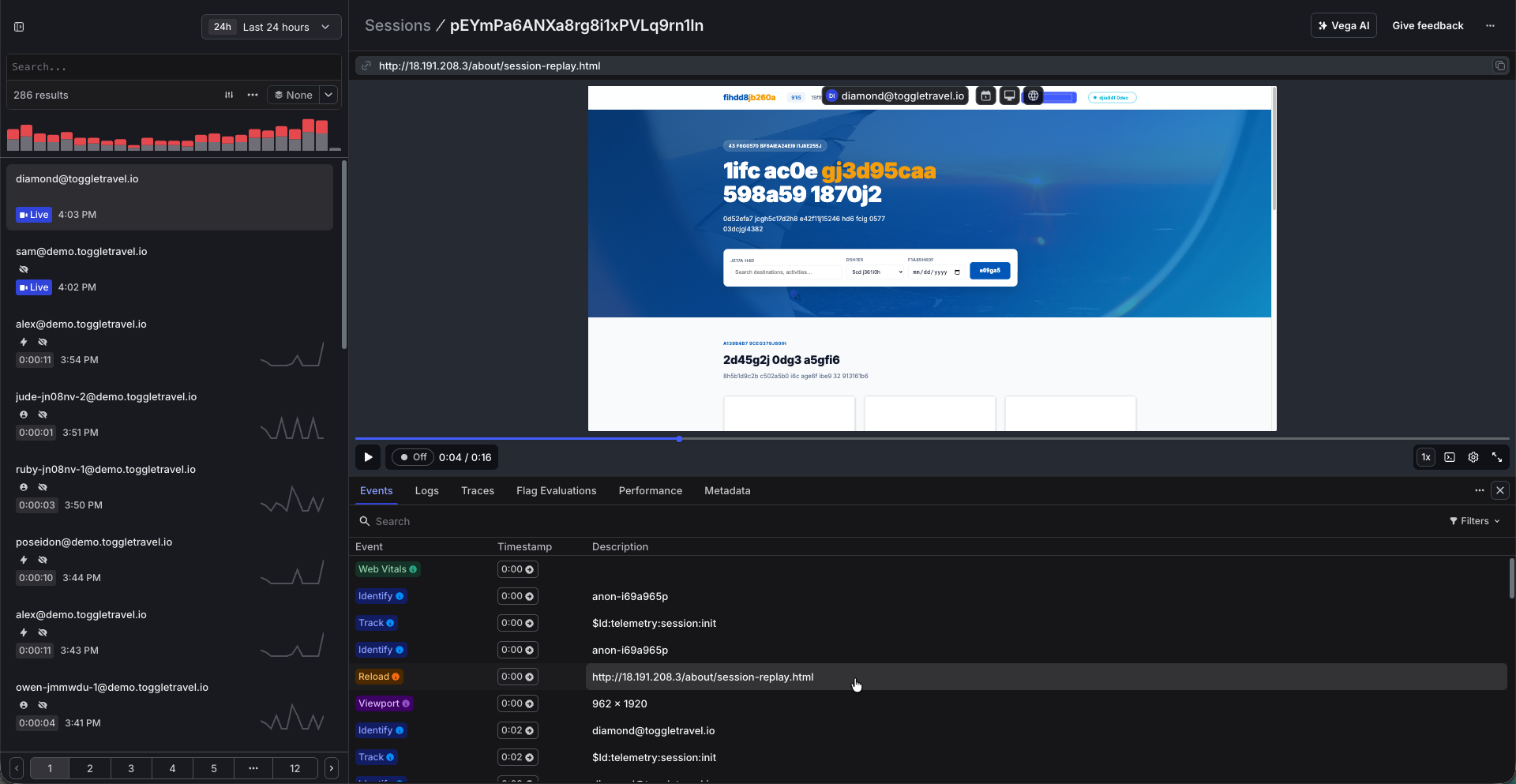
Sessions list filling in minutes after enabling the Session Replay plugin

Sessions begin appearing within minutes of adding the plugin

โฑ๏ธ
Session lifecycle: start, end, and control What counts as one session, and the knobs you have over recording
โ–ผ

When a session starts

Recording begins automatically when the LD client initializes with the Session Replay plugin. In this app that's every page load via the shared nav (LDFlags.init()). No user action, no separate start call. If you'd rather decide yourself, the plugin supports a manual-start mode and LDRecord.start().

What one session includes

A session spans page navigations. Browse the home page, run a search, open a destination, and book: that whole journey is one replay, one timeline. The load-gen personas prove it, walking multiple pages in a single recording.

When it ends

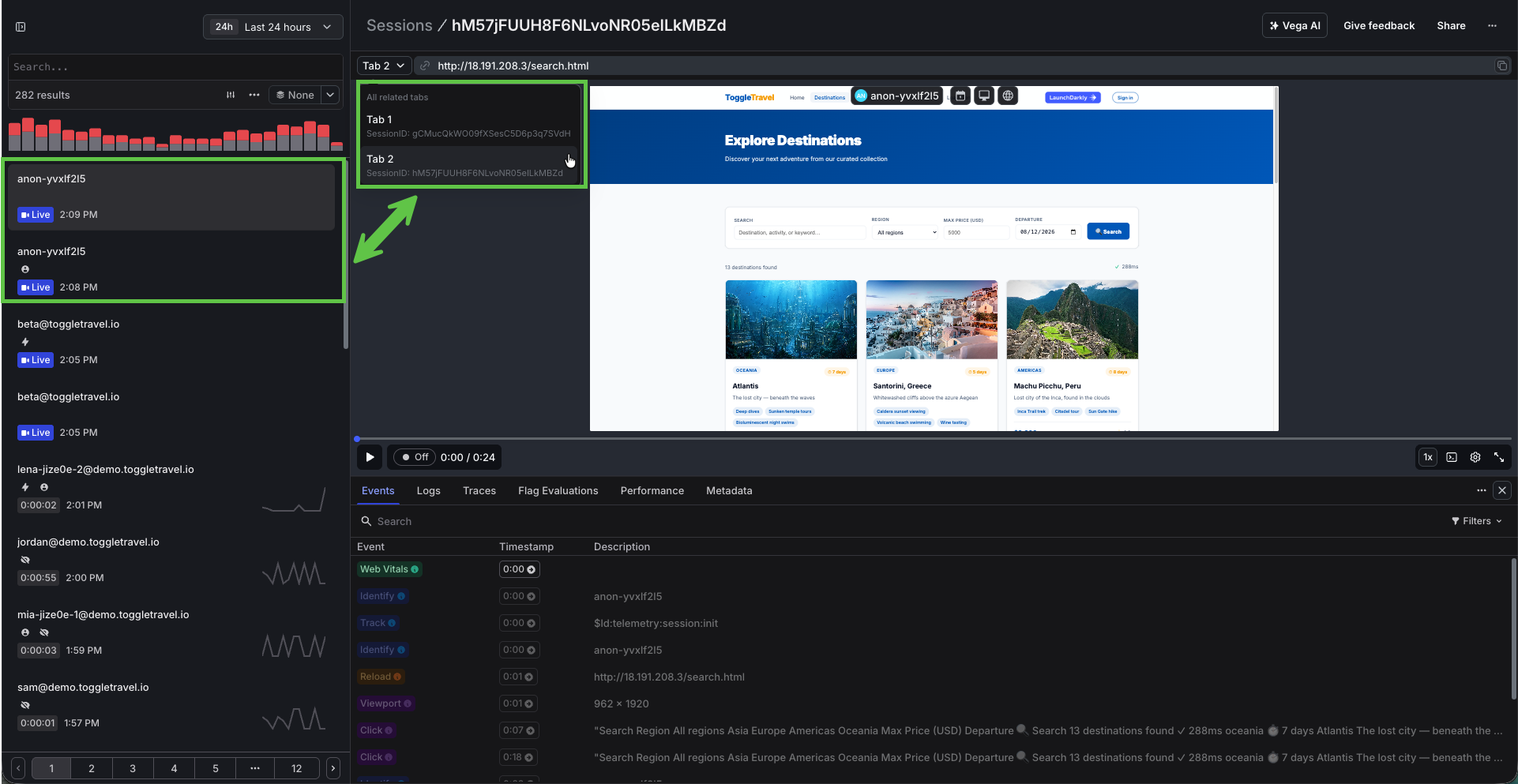
A session records for up to four hours. Each browser tab is its own session, so two open tabs produce two recordings. If the app closes and reopens in the same tab within 15 minutes, the prior session resumes; any longer and a new session begins. LaunchDarkly also tracks active time separately: stretches of clicking, typing, or mouse movement without a gap of more than 10 seconds. The full rules are in How is a session defined.

How to control it

// Manual controls on window.LDRecord
LDRecord.getRecordingState();  // 'Recording' | 'NotRecording'
LDRecord.start(); // begin/resume recording (or use the plugin's manual-start mode)
LDRecord.stop();  // stop recording (also cancels in-flight uploads, use with care)

// This app flushes instead of stopping (scripts/playwright-load.js):
await ldClient.flush();  // push replay data before the tab closes
Session detail header showing total length versus active time across multiple page views

One session, multiple pages: total duration vs active interaction time

๐ŸŽญ
Masking & privacy Sensitive data is masked in the browser, before it ever reaches LaunchDarkly
โ–ผ

Masking happens at record time, in the user's browser. Masked text is replaced during rrweb's DOM serialization, so the real value is never transmitted. Three privacy modes:

  • strict (the default) masks all text and images. Safest, and the out-of-the-box behavior.
  • default masks inputs and text matching common PII patterns (emails, SSNs, card numbers) and leaves general content readable.
  • none records everything. What this demo app uses for most visitors, so replays are fully readable on stage.

Privacy doesn't have to be one-size-fits-all. This app decides per user, at record time: anyone on the Diamond plan is masked automatically, while everyone else records readable. The plan is resolved from local state before the recording plugin is constructed, so the right privacy mode is active from the first frame.

// flags.js: privacy chosen per user before recording starts
const plan = resolvePlan();  // nav tier, persona plan, or stable fallback
new SessionReplay.default({
  privacySetting: plan === 'Diamond' ? 'strict' : 'none',
});
โš ๏ธ
Demo setting, not a production recommendation

Real applications should run 'strict' or 'default'. You can also exclude specific elements from recording entirely via selector-based blocking; see the privacy section of the configuration docs.

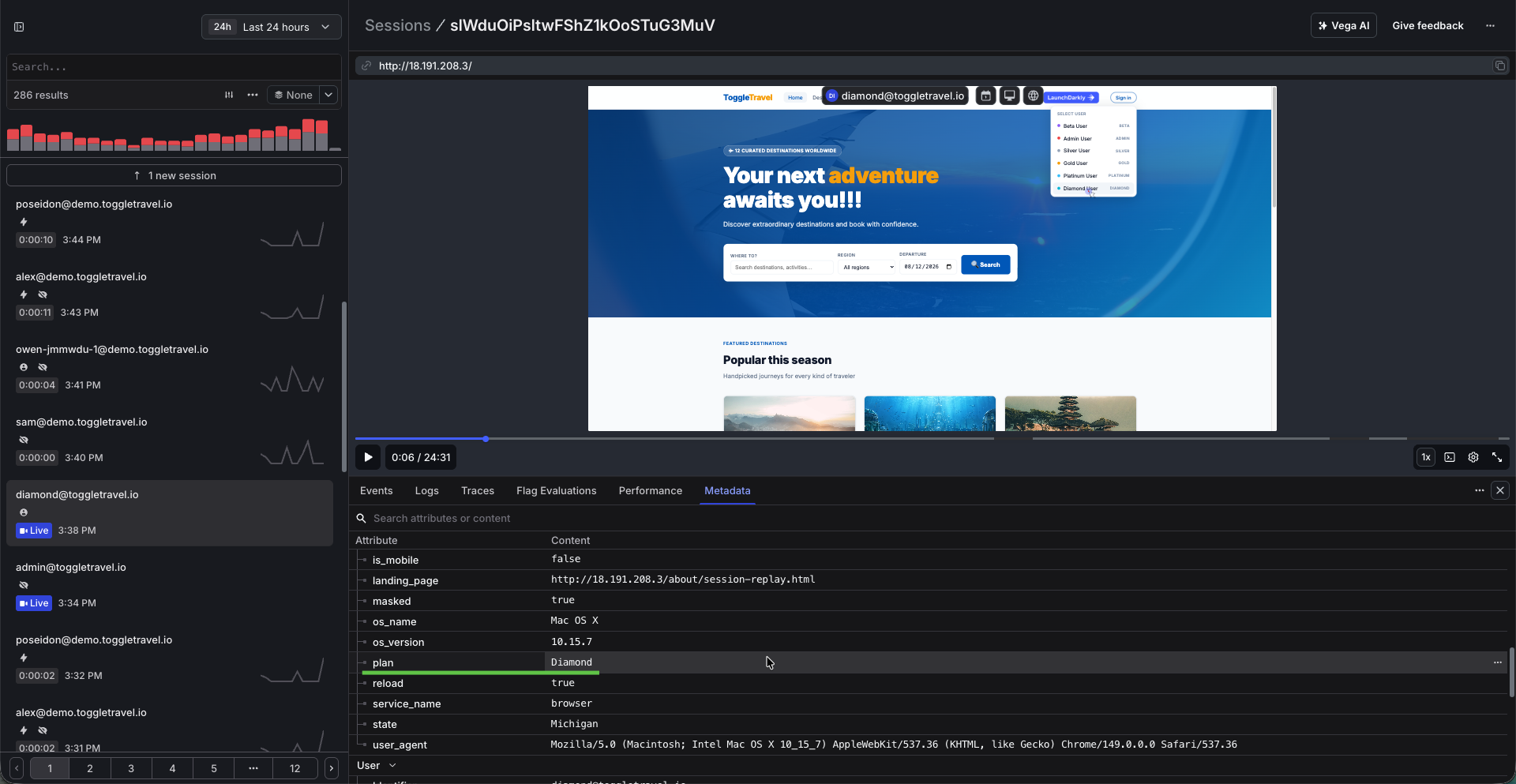
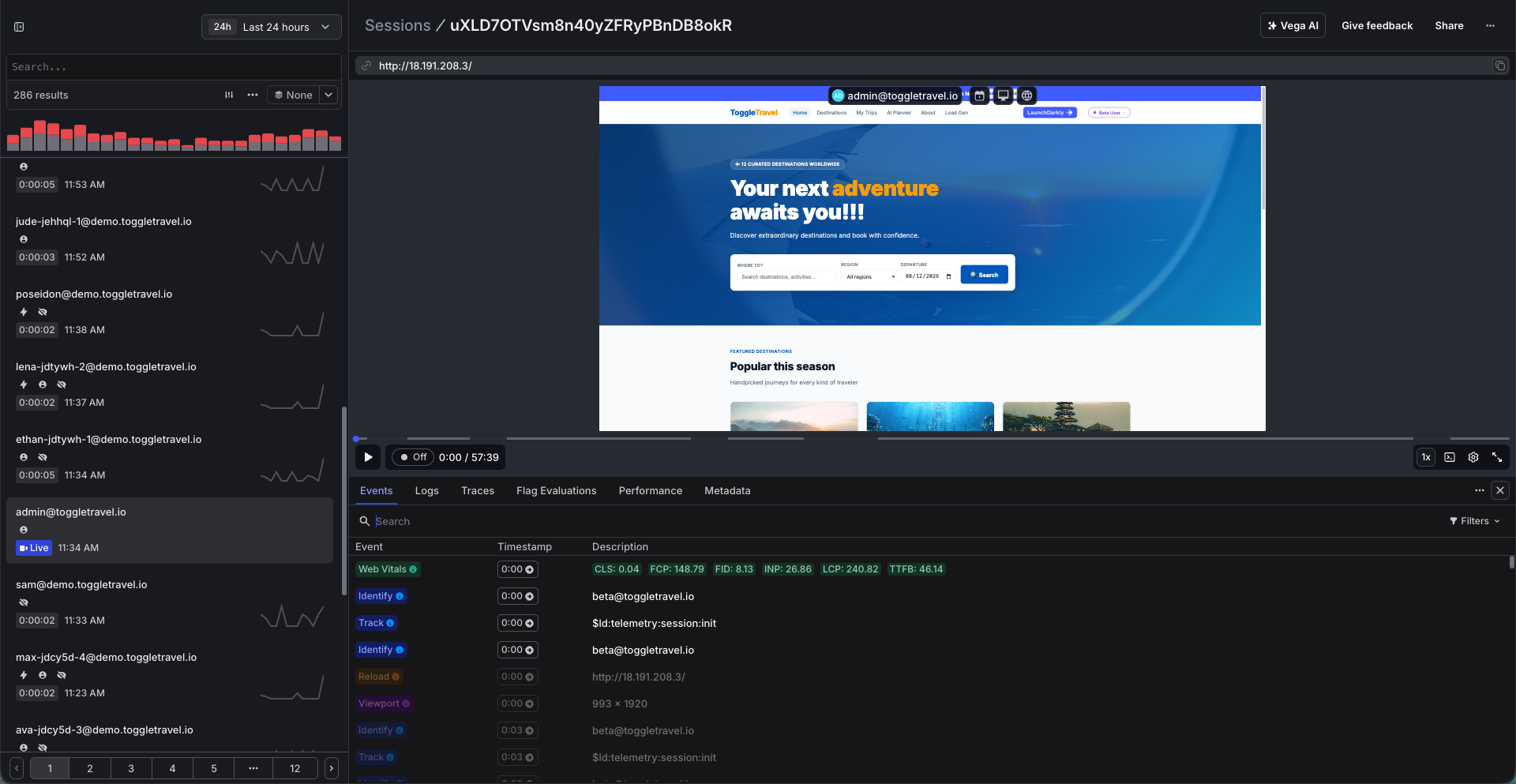
Admin user replay recorded without masking: fully readable Diamond user replay recorded with strict masking: all text obscured at capture time

The same app, two privacy modes: an admin session records readable (left) while the Diamond user's session masks automatically (right)

๐Ÿท๏ธ
Customization: metadata on sessions Session properties, identity, and custom timeline events
โ–ผ

Session properties

Attach searchable key/value properties to the active recording with LDRecord.addSessionProperties(). Toggle Travel stamps every session with the user's plan: signed-in users report their nav tier, load-gen personas carry assigned plans (Alex is Gold, Jordan Diamond, Sam Beta), and anonymous visitors get a stable hash-derived tier.

// flags.js: runs right after the LD client initializes
LDRecord.addSessionProperties({
  plan: 'Gold',  // Beta | Silver | Gold | Platinum | Diamond
});

Identity

Sessions inherit the LD context. ldClient.identify() on sign-in means replays are findable by the user's email, and the same key ties the session to flag evaluations and server traces.

Custom timeline events

Every ldClient.track() call lands on the replay timeline as a named marker. This app fires confirm-booking when Confirm & Pay is clicked and booking-error when a booking fails, so the checkout funnel is visible inside every replay.

// booking.html: semantic events that appear on the session timeline
LDFlags.track('confirm-booking', { destination_id, travelers });
LDFlags.track('booking-error',   { destination_id, http_status });
Session detail pane showing plan, persona, and personaEmail properties with track-event markers on the timeline

Custom properties and track events attached to a recorded session

๐Ÿ”
Searching sessions Find the exact replay you need by user, property, event, or behavior
โ–ผ

The Sessions view supports attribute filters that combine with AND/OR. The searches this demo leans on:

  • By user: identifier = poseidon@demo.toggletravel.io โ†’ every session from one persona
  • By session property: plan = Diamond โ†’ only your highest-tier users (the property from the customization section)
  • By custom event: sessions containing a confirm-booking track event โ†’ everyone who attempted checkout, by name, no CSS selectors required
  • By click: clickSelector = #confirm-btn โ†’ raw click matching when you haven't instrumented an event yet
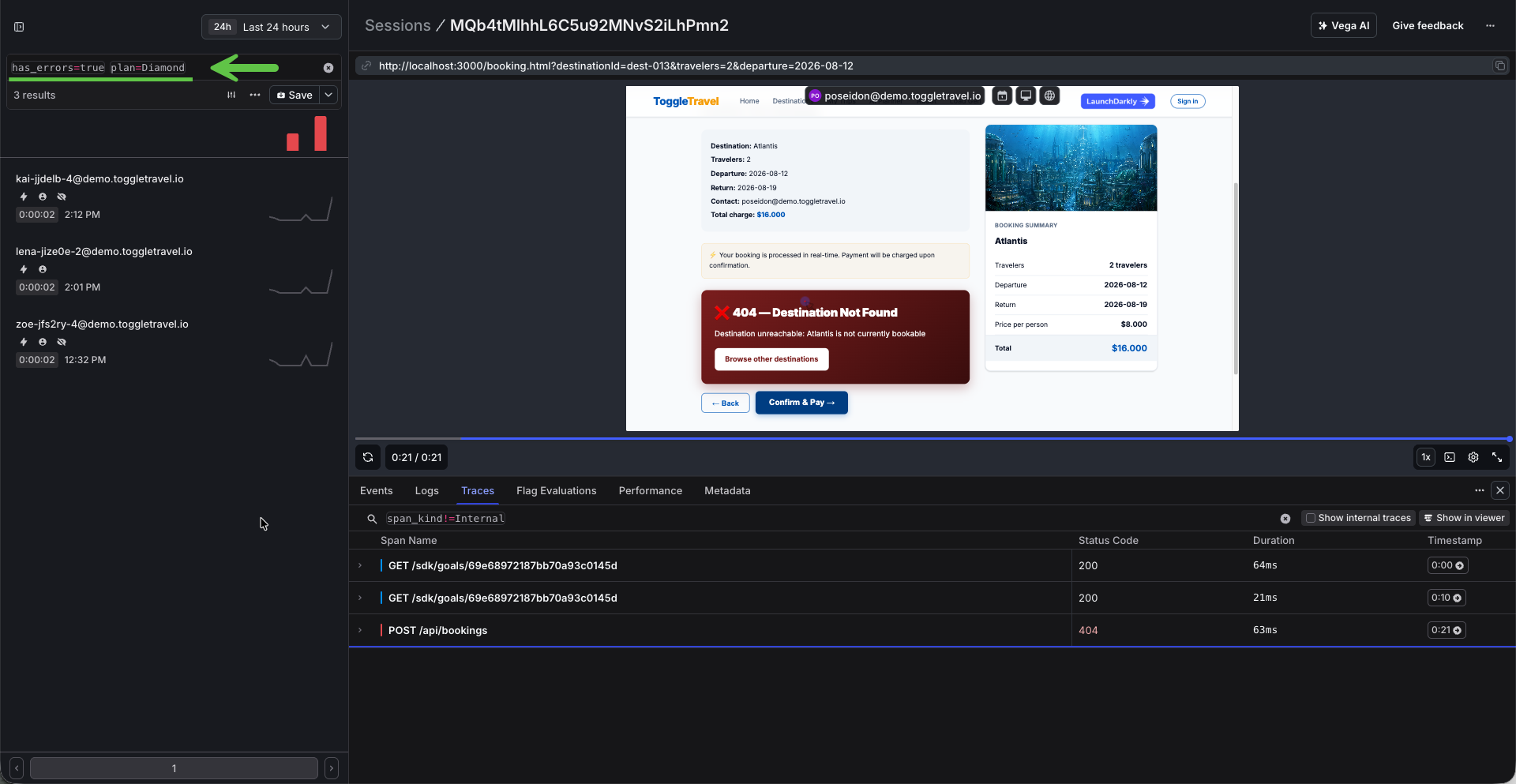
  • By outcome: has_errors = true, or rage-click detection โ†’ sessions worth watching first

The same query language powers errors, logs, and traces: one syntax across the Observability platform.

Sessions view filtered by session property and error state, showing the query bar

Combining a session property with an error filter to triage high-value users

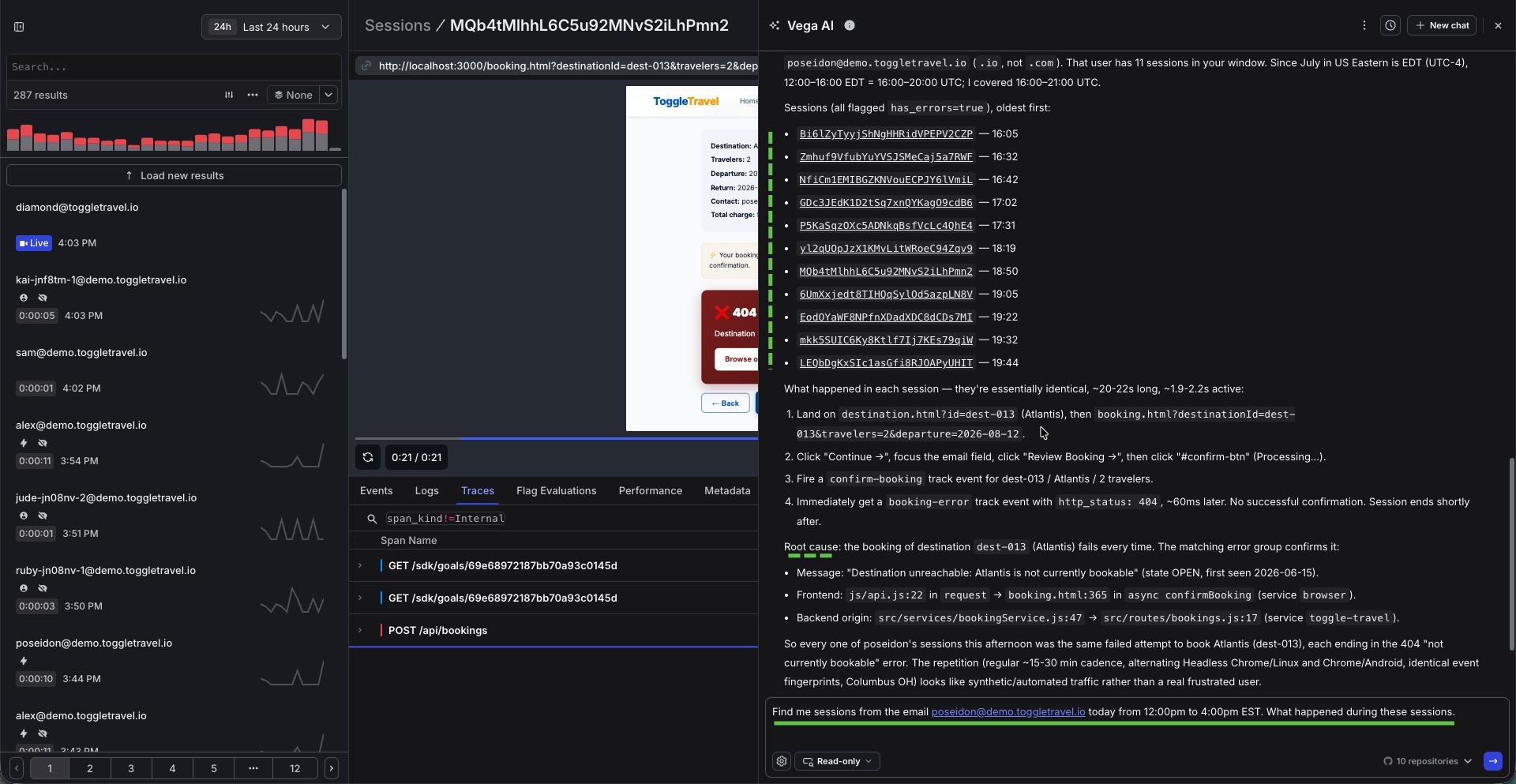
No query required: Vega AI

Not everyone wants to learn filter syntax, and with Vega AI they don't have to. Vega is LaunchDarkly's built-in AI assistant: ask a question in plain English right from the Sessions view and it finds the matching sessions, links each replay, and explains what happened in them. In the screenshot below it was asked for one user's sessions during an afternoon window. It returned all eleven matching replays, walked through the identical journey in each, and root-caused the failure down to the exact file and line on both the frontend and the backend. Support, product, and leadership get answers without ever writing a query.

The same idea extends beyond the LaunchDarkly UI. LaunchDarkly ships an Observability MCP server, so you can connect an AI assistant like Claude directly to your observability data and ask it to pull sessions, errors, logs, and traces for you. Point your assistant at the hosted MCP endpoint and see the MCP setup docs to get started.

Vega AI in the Sessions view answering a plain-English question with linked session replays and a root cause

Vega AI asked in plain English for one user's sessions: eleven linked replays, a walkthrough of each, and the root cause

Generate a replay right now

Run the load generator; every persona session is recorded. Then open the LD Sessions view and watch Poseidon fail to book Atlantis, complete with the error marker on the timeline.

Open Load Gen โ†’